
Have you noticed the beats of your tracks drifting apart? Not having a visual reference to align the beats visually may affect your confidence behind the decks. Beatmatching allows you to match the beats by ear without looking at stacked waveforms. Even if you can align beats visually, beatmatching is an important tool to have in your toolbox because some venues do not have stacked waveform visuals.
The skill of beatmatching is fundamental for any DJ aspiring to deliver seamless transitions and a cohesive musical experience. Beatmatching involves synchronizing the tempos of two tracks, ensuring a smooth transition between them. It requires precision, keen listening, and a solid understanding of music structure. In this article, we will explore the step-by-step process of beatmatching, discuss different techniques, and offer valuable tips to help DJs master this essential skill.
Beatmatching is essentially adjusting the track's tempo or BPMs to match the other track playing. Once BPMs are aligned, the beat grids may be out of sync, causing the mix to sound like a mess. Instead of a nice flow, the tracks together can sound like galloping horses running into each other...
This article has three exercises that will take your beatmatching to a world-class level, so you never doubt whether your beats are in sync again.
Beatmatching Origin
Francis Grasso was one of the first DJs to beatmatch starting in the late 1960s. DJ Francis was a disc jockey from New York City.

When the Technics SL-1200MK2 turntable rose in the market in 1978, beatmatching was made much easier with precise sliding pitch control and a high torque direct drive motor. Now DJ software and hardware have the sync feature that automatically changes the BPMs (beats per minute) and aligns the beat grids.
Benefits to Beatmatching
- Mix music with any gear you come across: You may find in clubs that they already have club gear set up and some may not be able to stack waveforms. You can also seamlessly transition from digital to vinyl.
- Takes your DJ skills to the next level: Beatmatching is essential for all DJs because it helps you create beautifully aligned transitions. Although some DJs rely on new technology to beat match tracks with sync, it is important to consider that technology cannot always be 100% reliable.
- Trains your listening ear: Not only does beatmatching help train your ear to listen for beats, but it also helps you listen for song structure to introduce your next track with ease. You can get into the rhythm of your music and create an atmosphere for your audience.
Understanding the Basics
Before diving into the intricacies of beatmatching, it's important to grasp some key concepts:
- Tempo: Tempo refers to the speed or pace of a track, typically measured in beats per minute (BPM).
- Phrasing: Phrasing refers to the structure of a track, consisting of bars and beats that follow a specific pattern. Understanding phrasing is crucial for smooth transitions.
- Beat grids: Beat grids are graphical representations of a track's rhythm, providing visual markers for beats and downbeats.
What Will You Need?

- DJ controller
- DJ software
- A track you love with an 8-beat intro (stick to around 120 BPMs)
- Two tracks that differ in about 5 BPMs (stick to around 120 BPMs)
- Monitor speakers
- Headphones
Preparing Your Tracks
Proper preparation of your music library is vital for successful beatmatching. Consider the following:
- Analyzing Tracks: Use DJ software to analyze your tracks and detect their BPM, key, and beatgrid information. This allows you to have accurate information readily available.
- Adjusting Beat Grids: Check and adjust beat grids manually if necessary, ensuring accurate beat placement. This step is essential for a precise beatmatching process.
Tips
- Loop to draw out transitions (we will be practicing this with the first exercise)
- Adjust your volume: Increased volume can help you to hear the beats more efficiently. However, on most DJ gear, you can adjust how much you hear the master track (the one currently playing) and your cued-up track (the one you are about to play). Play around with these as you practice finding what works best for you.
- Record and listen to your mix: This can help you hear how well you align the tracks' beats and see where you need to improve.
- Turn up the high and/or EQ on the cued track: This is like adjusting your volume, but EQ gives you more control over the track's volume. Percussion elements such as the hi-hat can be heard better.
- Set memory cues: Set a memory cue at the beginning of each track or where you would like to mix in a new track.
- Practice, practice, practice!
It's always important to make certain that your foundations are strong. Let's start at the very beginning and we're going build up.
If you are practicing beatmatching and can still see the stacked waveforms of the tracks, make sure your screens are covered, or you are in browser mode. I have tried to beatmatch and tell myself not to look... but it can be too tempting.
Where Do You Begin?

The best way to practice beat matching is to cover your screens and not look at the waveforms. That means not stacking the waveforms. If you have a controller, just switch it to browse mode so you can't see your waveforms. If you don't know how to do that, just cover your screen for these practice exercises. It's not about looking, rather it's about developing your ears.
Exercise #1
Step 1: Pick one of your favorite tracks - perhaps try to find one with an intro (beats are usually much cleaner and easier to identify)
Step 2: Load the same track onto both decks
Step 3: Loop the first 8 beats on both tracks. For the sake of this exercise, Track A is on your left and Track B is on your right.
Step 4: Play Track A
Step 5: When Track A has looped around to the beginning of your Track or Loop, press play on Track B
Step 6: Practice getting the beats in sync out loud from your speakers by adjusting the jog wheel on one deck (we will be getting to headphones next exercise)
This is more about learning how to move the jog wheel and how to identify what beats sound like when they're in sync. I know it's a little bit basic, but it's good to start there and we'll build up from this exercise.
Tip For Moving the Jog Wheel

When you turn the jog wheel, push it about 2 hands on a clock (i.e., from 12:00 to 2:00 or 12:00 to 10:00). If you go one way and it sounds worse, go the other way. If you feel you're close but in doubt, push the jog wheel again. If it sounds worse, at least you know where you were before and push the jog wheel back where it came from.
Repetition is the mother of all skills. Keep practicing this exercise and check out the videos below to gain more information, especially if you are a visual learner.
How to Beatmatch - 3 Ways to Perfect Beatmatching | Club Ready DJ School
Learn How to Beatmatch - DJ Lesson | Club Ready DJ School
Exercise #2
Next, we repeat the previous steps, but with beatmatching in your headphones so you get used to them. Make sure to cue up both tracks in your headphones to hear both. Or have Track B cued, as well as your Master volume.
Step 1: Pick one of your favorite tracks - perhaps try to find one with an intro (beats are usually much cleaner and easier to identify)
Step 2: Load the same track onto both decks
Step 3: Loop the first 8 beats on both tracks. For the sake of this exercise, Track A is on your left and Track B is on your right.
Step 4: Make sure the volume fader is up on Track A and down on Track B
Step 5: When Track A has looped around to the beginning of your Track or Loop, press play on Track B
Step 6: Practice getting the beats in sync by adjusting the jog wheel on Track B's deck (your audience will not be able to hear this)
Step 7: When you feel that your beats are in sync, take off your headphones and bring up the volume fader on Track B.
The method above is enough to get you going with beatmatching. However, we want to help take you to the next level. This next exercise helps you learn to beatmatch authentically.
Exercise #3
When people used vinyl, they did not have the digitized view of each track's BPMs (beats per minute). With this exercise, you are going to practice aligning the beat grids and BPMs of each track using your ears only. This exercise will assist you in fine-tuning your listening skills and being able to tell easier when the beats are drifting apart.
Step 1: Make sure your screens are covered and load two tracks that have different BPMs (differing in about 5 BPMs - any more may be too challenging at first)
Step 2: Loop the first 8 beats and make sure your master tempo (MT) is on.
Step 3: Micro-adjust the tempo fader and jog wheel on the cued-up track until you feel like the tracks are in sync. The faster the tracks move out of sync, the farther away they are in BPMs.
Step 4: Uncover your screens to see how close you are.
Step 5:: Repeat the above steps without looping beats.

Advanced Beatmatching Techniques
Take your beatmatching skills to the next level with these advanced techniques:
- EQ Mixing: Use EQ controls to eliminate clashing frequencies and create a balanced mix.
- Looping: Utilize loops to extend compatible sections of a track, providing more time for beatmatching and creative mixing.
- Acapella Mixing: Overlaying an acapella from one track onto the instrumental of another can create exciting mashup effects.
- Key Mixing: Mix tracks that share compatible musical keys to create harmonic blends and smooth transitions.
- Micro-Adjustments: After you complete your transition, you may still hear that the beats are still not aligned. It is okay to do micro-adjustments on your jog wheel while you are playing the tracks live or through your speakers.
Conclusion
Beatmatching is the backbone of DJing, enabling seamless transitions and captivating performances. By mastering this essential skill, DJs can elevate their sets to new heights, captivating their audiences and creating a memorable experience. Throughout this article, we have explored the step-by-step process of beatmatching, from understanding the basics to implementing advanced techniques.
While beatmatching may seem daunting at first, it is a skill that can be honed with practice and dedication. The key lies in developing a keen ear, understanding the structure of tracks, and utilizing technology to aid in the process. Remember to prepare your tracks thoroughly, analyze their key elements, and adjust beat grids for accuracy.
Furthermore, experimentation is key to finding your unique style and creating dynamic mixes. Don't be afraid to explore different techniques, such as EQ mixing, looping, and acapella blending. These creative approaches can add depth and flavor to your sets, setting you apart as a DJ.
Ultimately, beatmatching is a craft that requires patience and persistence. With time, you will develop an intuitive sense of rhythm, enabling you to seamlessly blend tracks and create a continuous flow of music. So, embrace the process, stay committed to improvement, and let beatmatching become second nature.
As you embark on your journey to master beatmatching, remember that practice, an attentive ear, and a passion for music will be your greatest allies. So, hit the decks, experiment, and let your beatmatching skills shine as you deliver electrifying performances that keep the dance floor alive and pulsating.
Related Posts

The best DJs dig in the same places as everyone else — they just go deeper. Here's exactly how I find underground music on Volumo, SoundCloud, Beatport and beyond, so you play tracks nobody else has.
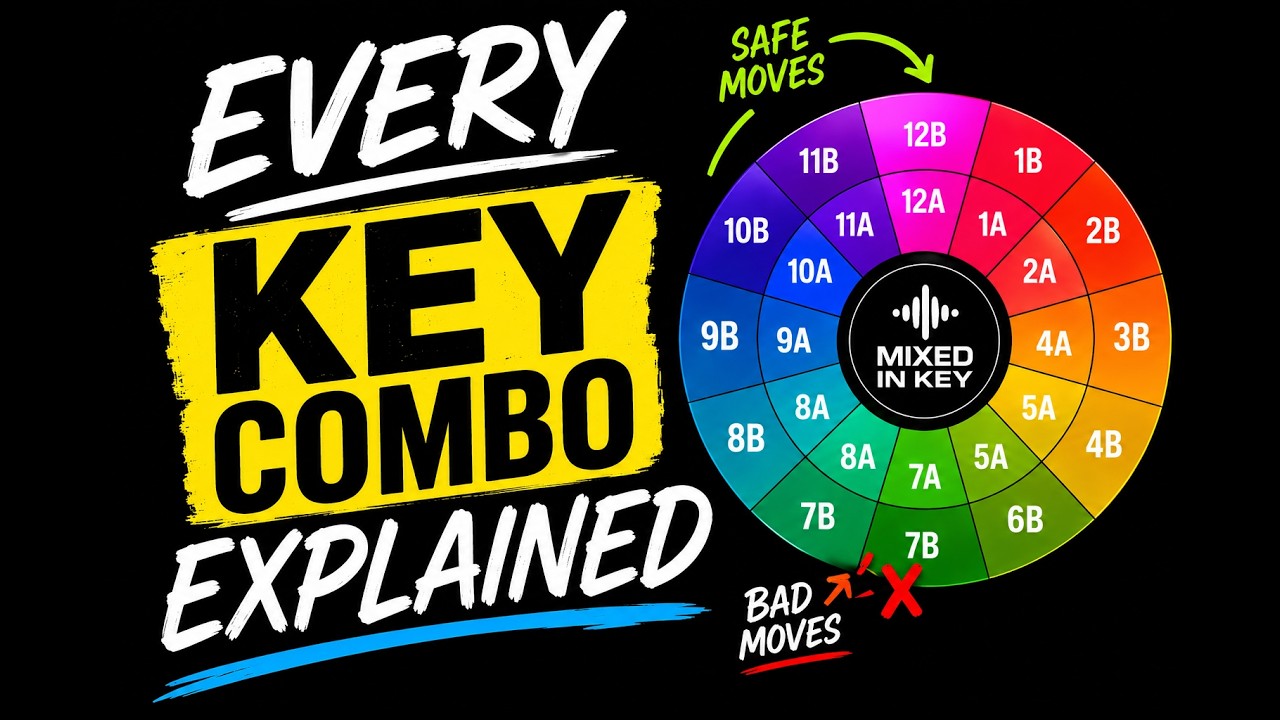
If you've ever watched a DJ tutorial, used Mixed In Key, or opened Rekordbox and noticed those strange numbers like 8A, 9A, and 5B next to your tracks, you've probably wondered...

In the first video at the top of the page I demonstrate different ways to mix Afro House, including where to mix, how long to play both tracks together...

Are you sick of some of your mixes sounding great and others sounding bad? In this video I'll give you 5 tips on where you can mix in your new track to make certain your transitions sound natural and effortless every single time.