I know for a fact, as far as entry level controllers go, a tonne of people are choosing the DDJ400 and why not, it has the same basic operations as the club gear, it reads Rekordbox, the same software used to prepare music to play in clubs, and it's very affordable and I personally know a tonne of people that have started on this controller and have honed their skills to a club standard
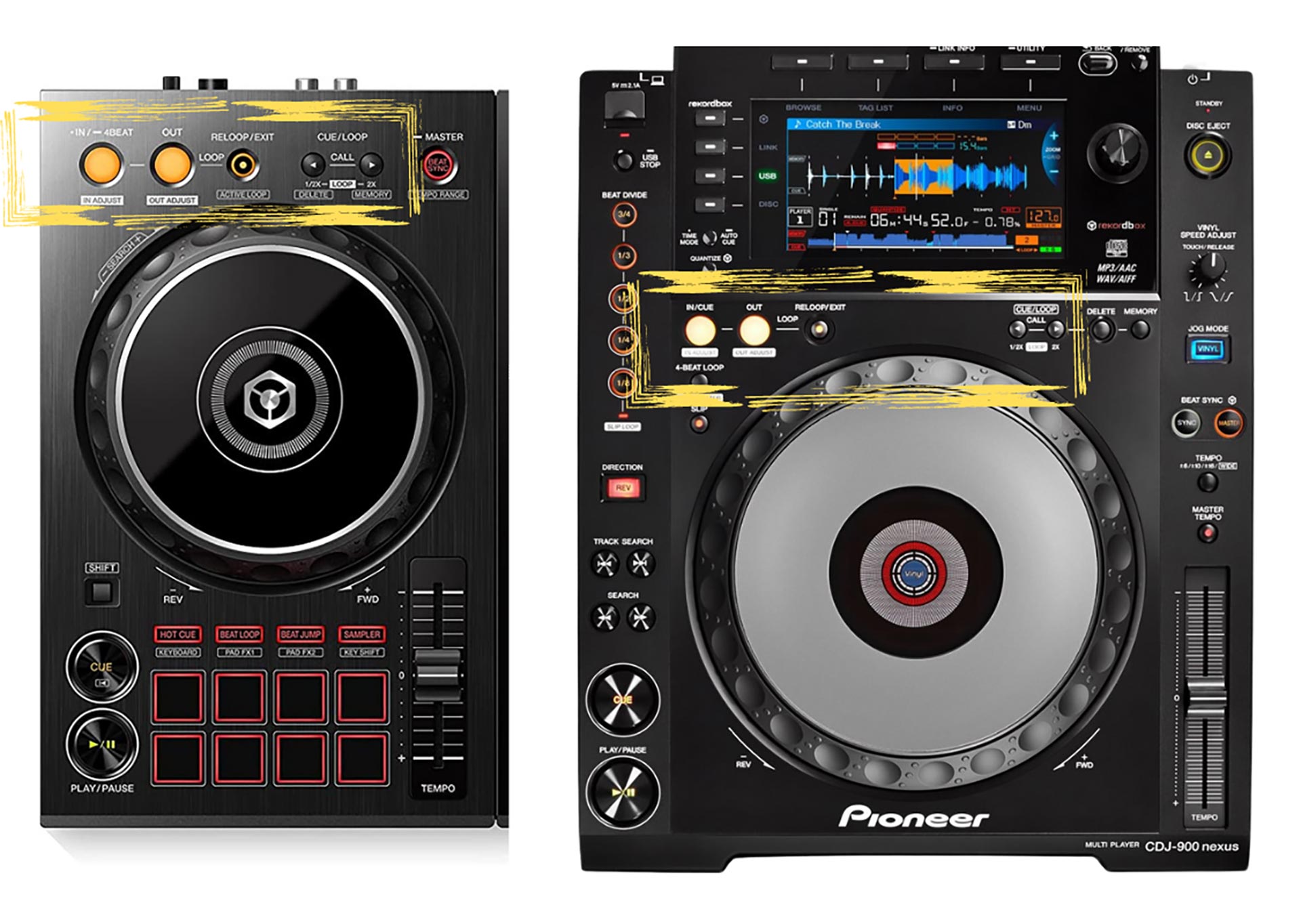
COMPARING THE DDJ 400 TO CLUB GEAR
The layout of the DDJ 400 is really similar to club gear:
1. Loops and memory cues are in the same place above jog-wheels and look identical.
2. Basic layout is same: jog-wheels, play / cue, tempo fader, same mixer channels, layout of beat FX to right of mixing channels
MAIN DIFFERENCES
The main difference is to load and see the tracks you'll have to connect your computer and with club gear you can load your tracks directly onto the players using USB keys.
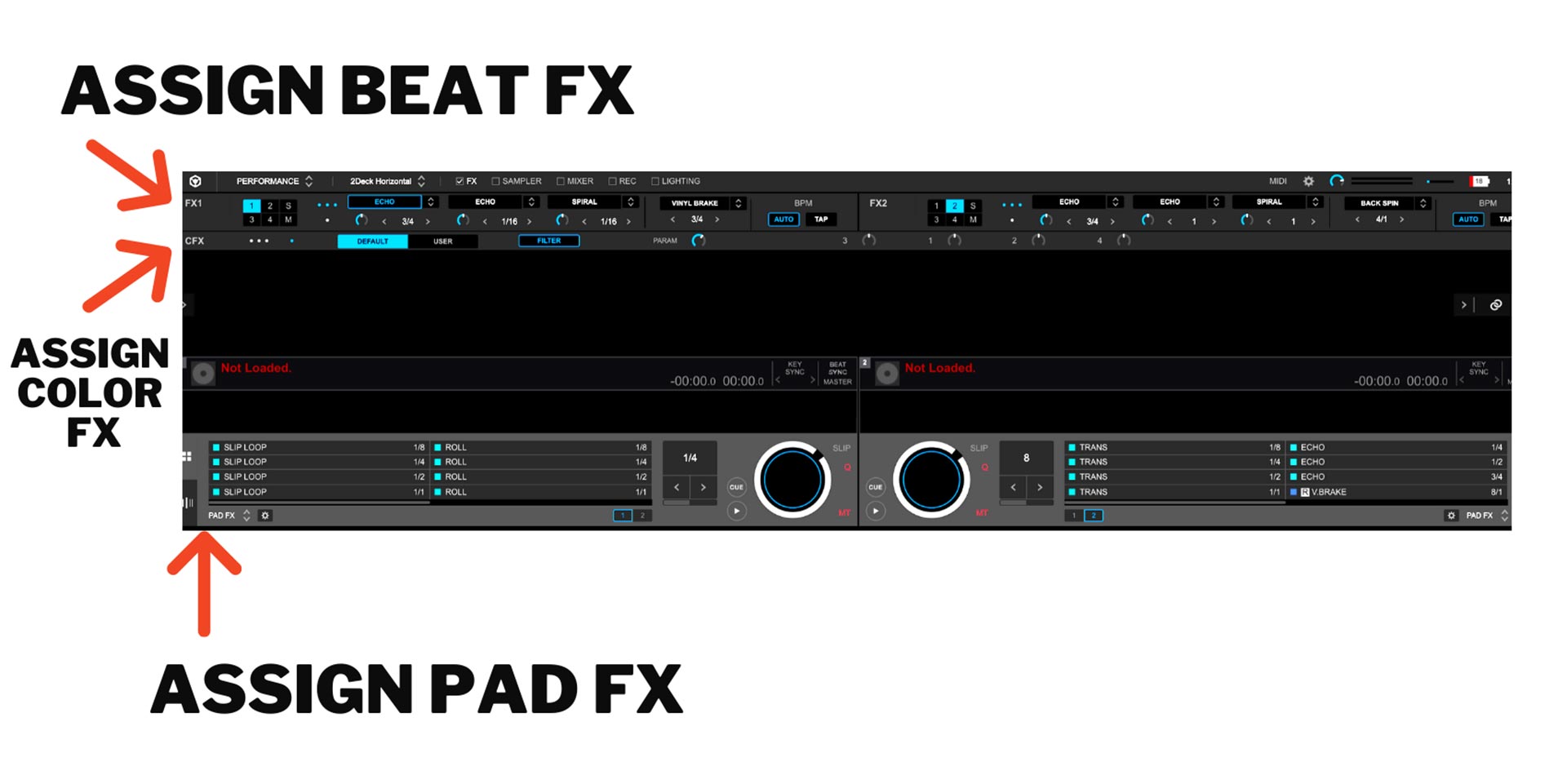
Also the layout of FX is slightly different. On the club mixer you have colour FX and beat FX. The DDJ 400 is the same but with the 400 you can only assign one beat effect or colour effect at a time, so personally if it was me I would 100% keep the colour effect on filter and I would probably put whatever effect I use the most on the beat effect rack - so in my case I'll load echo.
As for more beat FX you can find the main ones used on all gear in the performance pads and you assign your favourite FX to whichever pads you like - if you are new I cover all this in huge detail (the main FX and how and where to use them in my performance plus course: https://www.clubreadydjschool.com/courses/performance-plus/
MAKE IT INTERESTING - HIDE THE VISUALS
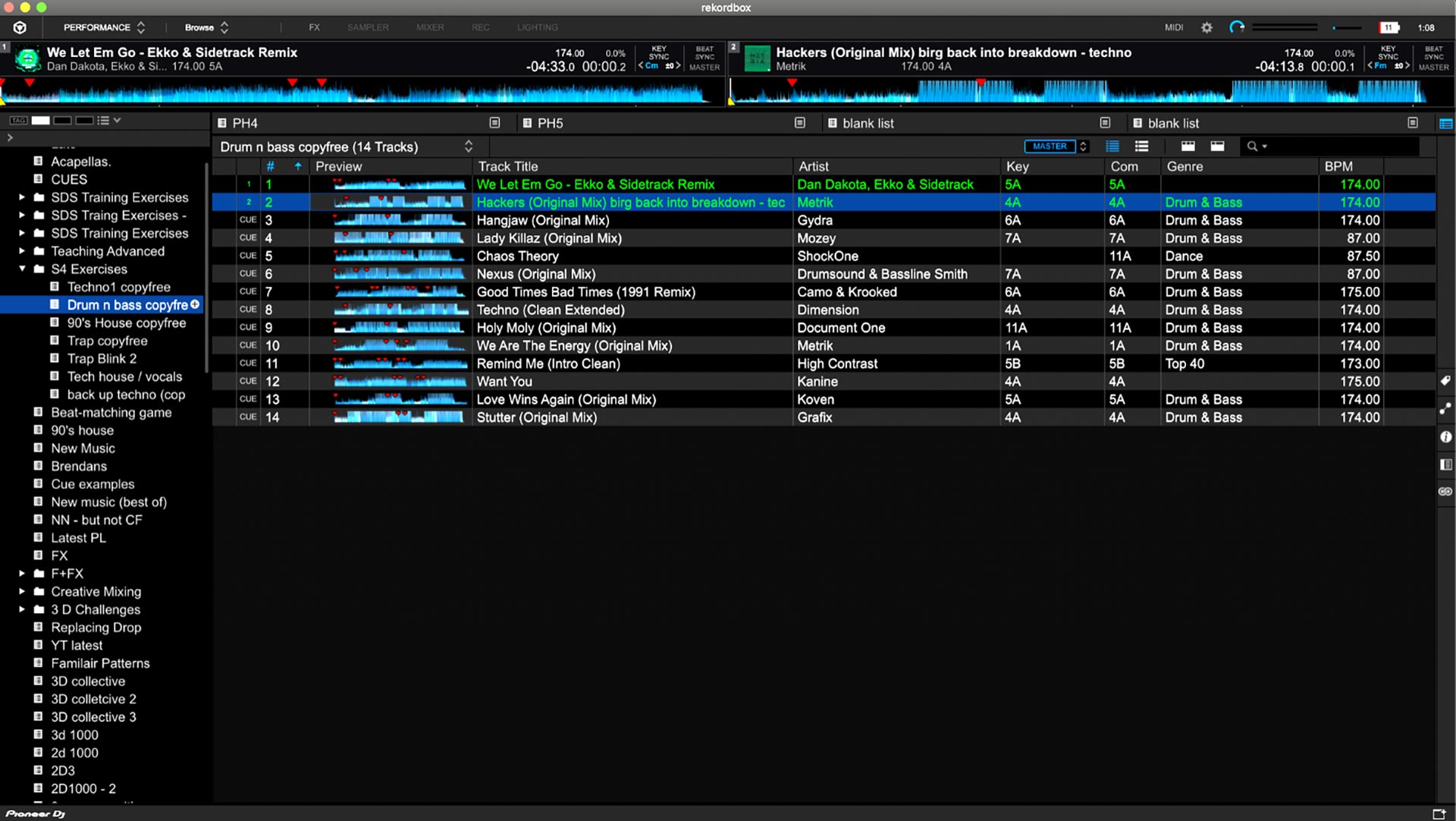
If you wish to prepare for a club show and want to use the DDJ400 (or any controller for that matter) like you would club gear then do this:
1. Turn off sync as not all club gear has sync
2. Hide the waveforms (got into browse mode) - this way you only see the mini waveforms, BPM, your cues and not the beats.
When playing in clubs the chances are, unless you have influence in the scene, that they will expect you to use their equipment - this makes change overs between DJs easier as DJs just turn up with USB keys. However some of the club gear is older and doesn't have sync and you can't see the main waveforms (eg: the beats) - which means no line matching. This means you must know how to beat match by ear and the less you rely on visuals the better. This also means you are not staring at your computer the whole time which I personally feel makes mixing more enjoyable, once you get used to it.
If you wish to tighten your DJ skills check out my DJ courses here: https://www.clubreadydjschool.com/club-ready-dj-course/
CHECK OUT THE VIDEO ABOVE TO SEE A LIVE MIX FROM ME!!
Related Posts
If you're just getting started with DJing and running into problems on the decks - whether it's messy transitions, clashing vocals, or energy dips on the dance floor - chances are...
It's that time of year when everyone's doing sales and I just thought I'd do an article answering any questions you may have about the course and discuss wether you think it's a good fit for you.
So many people when they first learn to DJ make it unnecessarily hard for themselves and as a result they get frustrated, lose interest or simply give up.
n the exciting world of electronic music, being a skilled DJ is one aspect of this industry, and it only scratches the surface of just how far you can take this as a career.