"Every artist was first an amateur." - Ralph Waldo Emerson
Got your equipment? Ready to start mixing? Here are 10 tips to help you get started!
I) Watch YouTube Videos
YouTube is a great place to start if you are brand-spanking new. For instance, you can find videos about your controller. Whether you have the new Pioneer DDJ-FLX4 or the OG Pioneer DDJ-400, most big DJ brands like Pioneer DJ, Denon DJ, and Numark have tutorials on YouTube.
YouTube is also a fantastic place to explore how various DJ artists approach their mixing styles with transitions and effects. Here are some video links to get you started:
Learn to DJ For Beginners | Club Ready DJ School
DDJ 400 Tips and DJ Mix | Club Ready DJ School
II) Find DJs that Inspire You
The beauty of music is that there are genres for everyone! Find a song or track you like? Check out the DJ or producer's music library. You may find that you connect deeply with their music! Having inspiration is a fantastic reminder that if they can do it, so can you! (In your own way, anyway 😉)
As a female DJ, I am naturally drawn to female DJ artists like CloZee and Alison Wonderland. CloZee is who inspired me to buy my first controller.
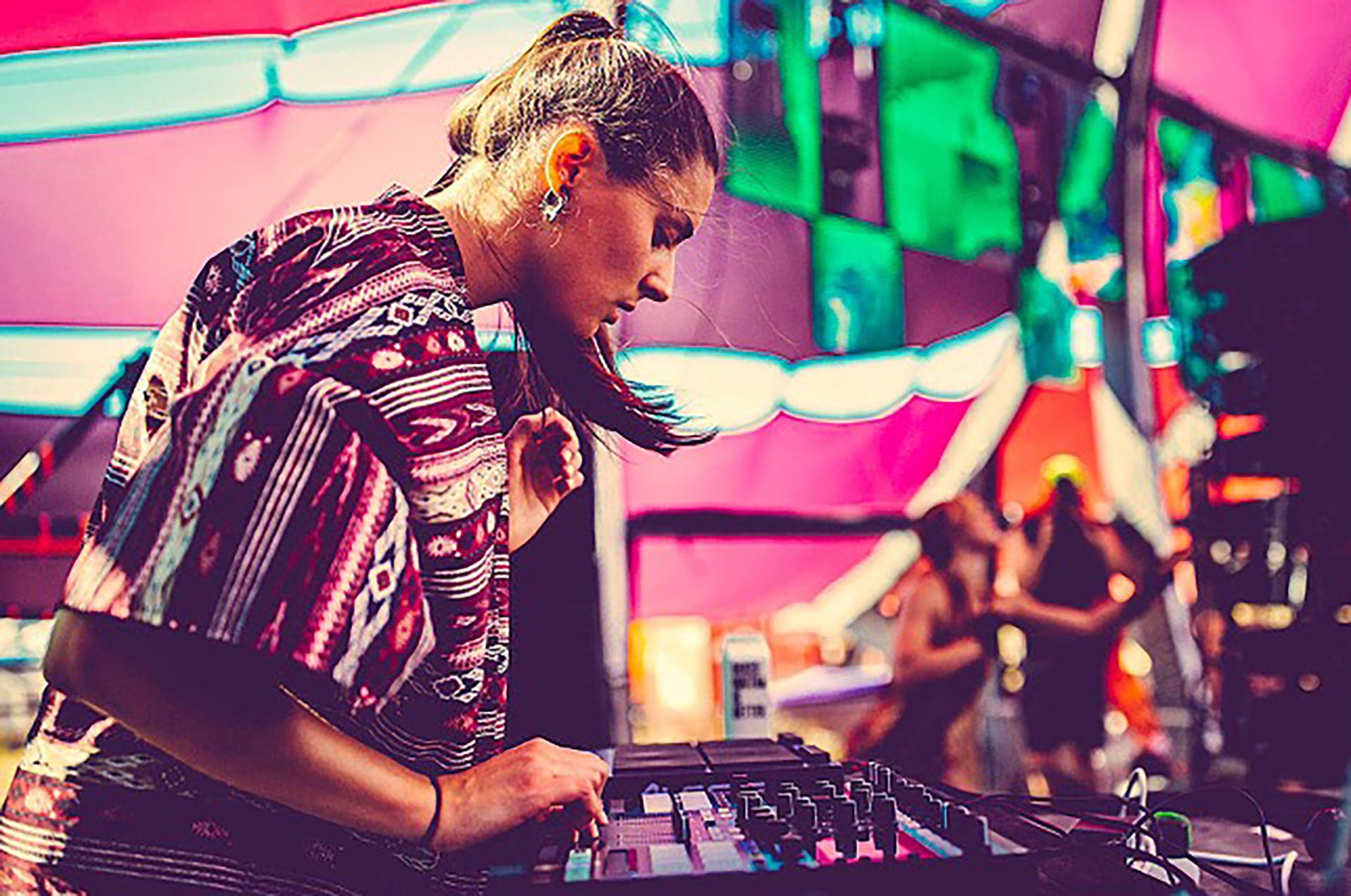
Another way to find DJs that inspire you is to go to shows and become a part of the environment. This will also help you get an idea of what kind of stage presence you would like to bring to your audience. You can also explore venues in your area to see if they have DJs playing the style of music you enjoy.
I frequently go to shows locally and at least one festival a year (even alone). If you do not have the capability to do so, you can look up videos of shows or performances at festivals on YouTube. However, in-person is best because you can get immersed in the atmosphere and observe what the crowd responds well to. Or just go have some fun and gain inspiration through dancing!

My favorite platforms to find shows are EDMTrain (USA and Canada only) and Eventbrite.
III) Learn Basic Music Theory
There is no need to get a music degree to DJ, or even learn all the key combinations for harmonic mixing. A few basics will do just fine!
Song structure: We subconsciously attune to the song structure that most musicians apply to their songs. Songs typically have 8-bar (4 beats per 1 bar) phrases that make up intros, verses, choruses, and outros.
Intro | Verse | Chorus | 2nd Verse | 2nd Chorus | Breakdown | Outro
"The intro is commonly 8 bars in length with a new instrument or sound being introduced every 8 bars. The verse sets up the theme of the song and builds a natural progression to the chorus. The chorus contains the main message or theme of the song. It's built around a melodic 'hook' and is the most catchy and energetic part of the song. A breakdown transitions the chorus to the next part of the song, leading into the outro to close out the track." - Andrew, Club DJ Ready School
Knowing song structure will help you in your transitions by staying in flow. For example, let's say the chorus is ending on the song currently playing, then you play the verse of the next song to stay within the song structure.
How to count beats: Learning how to count the beats of a phrase will help you follow the bars to the end of a phrase (i.e., end of a chorus) of your current track to hit play on your upcoming track at the beginning of the current song's new phrase (i.e., verse). This helps you match the bars of each song as closely as possible. If you don't align the bars on the first try, do not fear! That's why beatmatching is here! (see V)
| 1..2..3..4.. | 2..2..3..4.. | 3..2..3..4.. | 4..2..3..4.. | 5..2..3..4.. | 6..2..3..4.. | 7..2..3..4.. | 8..2..3..4.. | 1..2..3..4.. | and so on
Ideally, you will get to a point where you no longer need to count the beats. Instead, you can hear when the phrase changes.
Check out Mixed in Key to learn about harmonic mixing.
Explore and learn about different music genres: Look at the top charts to see what's popular!
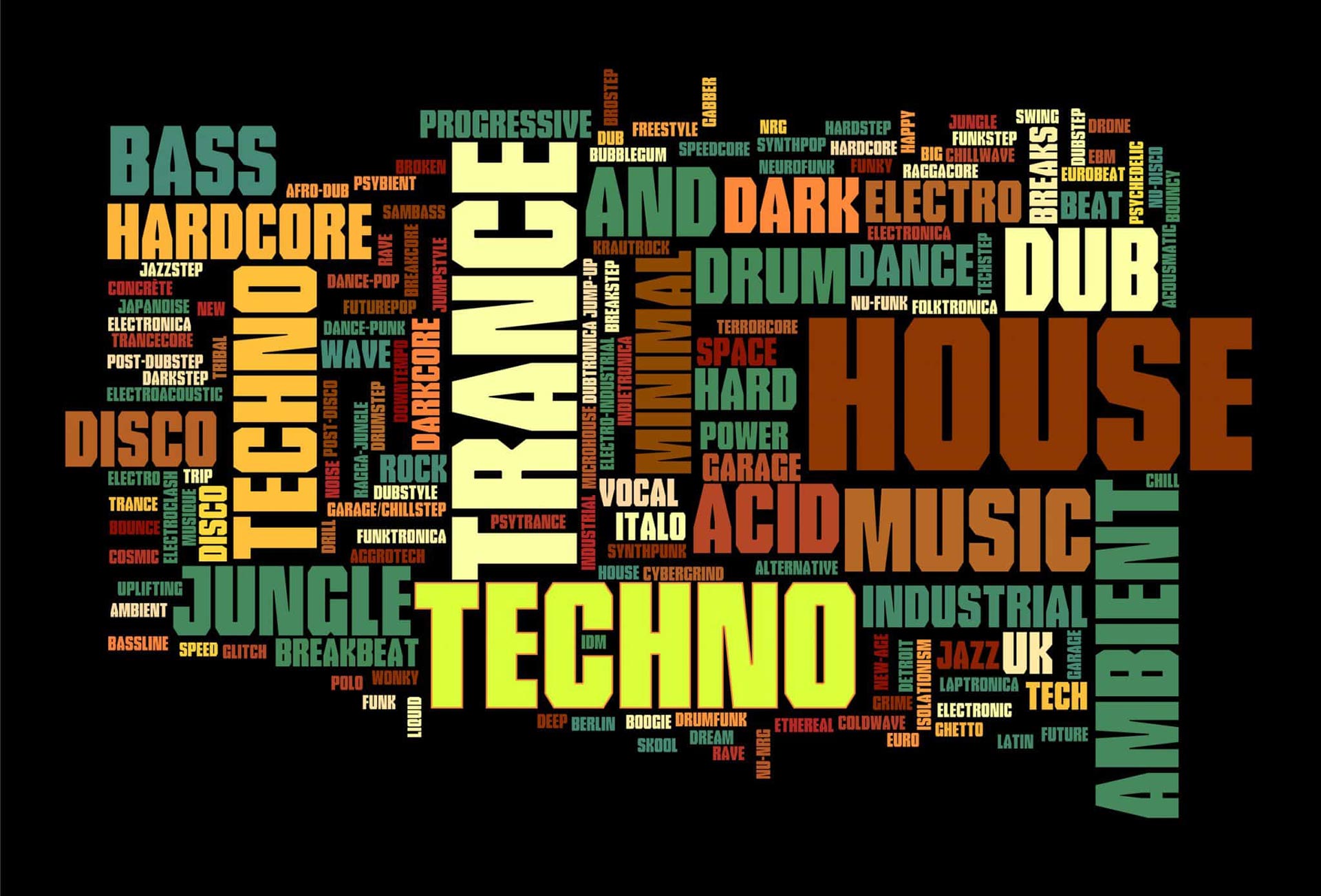
IV) Start Building Your Music Library with MP3 Files
Relying on streaming services, such as Spotify, SoundCloud, and Apple Music, are very convenient while saving time and money. However, if you want to start DJing at clubs or events, it is important to consider the nature of the equipment provided and that internet cannot be 100% reliable.
Most club DJ equipment will need a USB list of your music files. Although there are ways (probably not legal) to convert streaming service files, it is best to support the artist by purchasing music through DJ pools, such as Beatport, DJ City, or BPM Supreme.

DJ pools provide commercial music with longer intros and outros (great for mixing, especially as a beginner). Purchasing the song from a DJ pool will also give you song file access for the rest of your DJ career! No internet required.
Check out Club DJ Ready Course's video about where DJs get their music:
Where do DJs get their music? | Club Ready DJ School
V) Learn How to Beatmatch
Beatmatching is adjusting two songs to play at the same speed (BPM) and time (bars or measures) by ear. To beatmatch, you will be using your tempo faders and jog wheels.
You will know your songs are not aligned when you can hear the beats drifting apart. This can sound like galloping horses. Beatmatching may seem like a daunting task, especially with upgraded technology. For example, you may have seen a button for beat sync on your software or controller. Yes, this automatically changes the song's BPMs (beats per minute) while simultaneously aligning the beat grid. However, it is not always reliable.
Beatmatching is a tool that can save you from equipment failures, help you get to know your songs better, and you look cool while doing it! It is also important to keep in mind that some clubs may have older equipment without beat sync capability or the ability to stack the waveforms to align the beats visually.
The best way to practice beatmatching is to cover your screens. No matter how tempting it may be... don't look.

Exercise to practice beatmatching:
- Pick a track (preferably with an 8-bar intro) and load the same track onto both decks
- Loop the first 8 bars on both tracks and hit play on one deck
- Count the beats (1.. 2.. 3.. 4.. | 2..2..3..4..) then press play on the second deck
- If the tracks sound off, it is time to start moving the jog wheel. When you move the jog wheel, turn it about 2 hands of a clock (ex. 12:00 to 2:00 or 12:00 to 10:00). You want to give the wheel a decent push.
- Start by turning the jog wheel one way. If it sounds worse, turn it the other way until it the tracks sound in sync. If you are not sure if they are in sync, you are probably getting close! Give the jog wheel another push. If it sounds worse than before, turn the jog wheel back the way it came. As Andrew says at Club DJ Ready School, "If you're not sure, one more. If you go too far, at least you know where you are."
- Repetition, repetition, repetition!

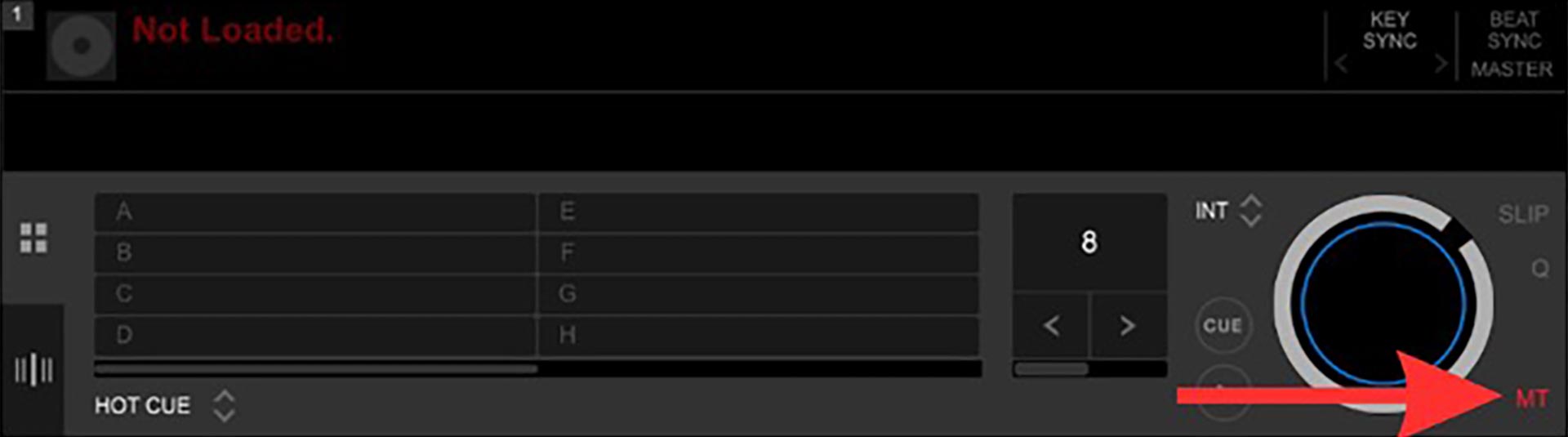
Bonus Tip: On your software (i.e., Rekordbox, Serato, etc.) or controller, make sure your master tempo (MT) is on to ensure the song's key does not change as you change the BPMs. Try changing a song's tempo with the MT off, then turn it on to hear the difference. Much smoother, am I right? 😉
Click the link below to watch an extensive lesson on beatmatching. If you watch until the end, there is a sweet trick to help you beatmatch even more precisely!
How to Beatmatch - 3 ways to perfect beatmatching | Club Ready DJ School
XI) Practice mixing songs that are similar in bpms
To help with the above tip, find songs close in BPMs.
A rule of thumb is that, generally, people do not notice when songs change within 5 BPMs of the original tempo. Mixing songs that are similar in BPMs will help boost your confidence and set a foundation for the mixing process before jumping 10 or even 20 BPMs!
XII) Start Practicing Transitions Using House Music
Commercial, pop, hip-hop, R&B, and heavier styles of dance (i.e., dubstep) can be tricky to transition as a beginner, and that's perfectly normal! You are training your ear to count and listen for the beats (1..2..3..4..). Any kind of house music provides you with longer intros, outros, and verses that give you time to beatmatch and create some beautiful transitions! Once you feel comfortable, try out your preferred style of music.
XIII) Prepare a Playlist
Once you feel comfortable practicing transitions, make yourself a playlist of music you enjoy (about 20 songs). Imagine the mood you are trying to create.
Use songs that are in the same genre (i.e., progressive house) that have similar BPMs. As you organize your playlist, aim to find flow by finding songs that sound awesome together.
As you practice each week, you can research new songs and keep adding them to your playlist. Check out the top 100 lists of your preferred genre to see what's bopping!
I recommend copying the original playlist, so you have it as a backup in case the next one isn't to your liking.
When you have your 20 songs, use DJ software like Rekordbox to import the songs and start setting cue points. Not all DJs use cue points and freestyle mixing can be fun. However, as a beginner DJ, it is important to build your confidence first until you have fully mastered song structure and phrasing.
Different ways to set cue points:
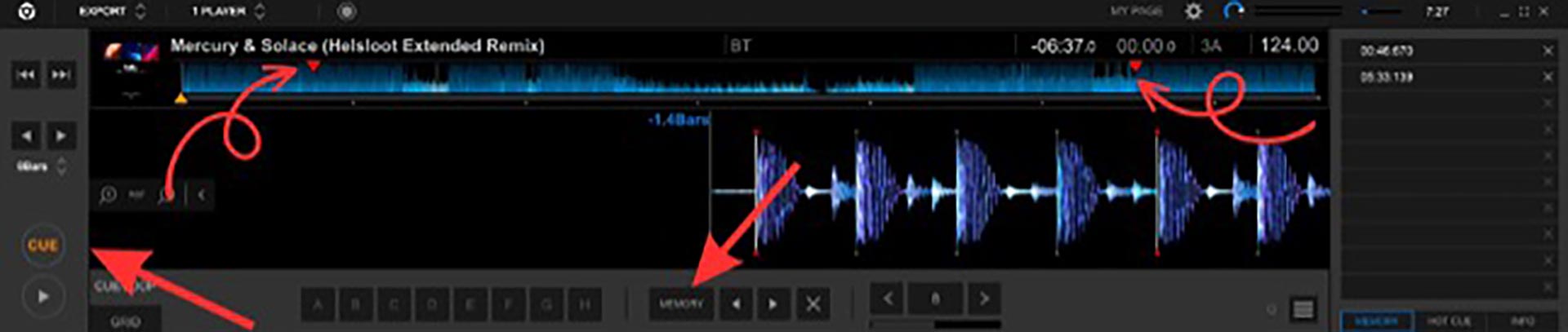
- Hot cues exact parts that you want to mix. When clicking on the memory cue you set, it will take you straight to that part of the song and does not play it automatically (press play when you're ready to transition songs). Memory cues can be known as a helpful tool to guide the songs in your playlist and play the best parts.
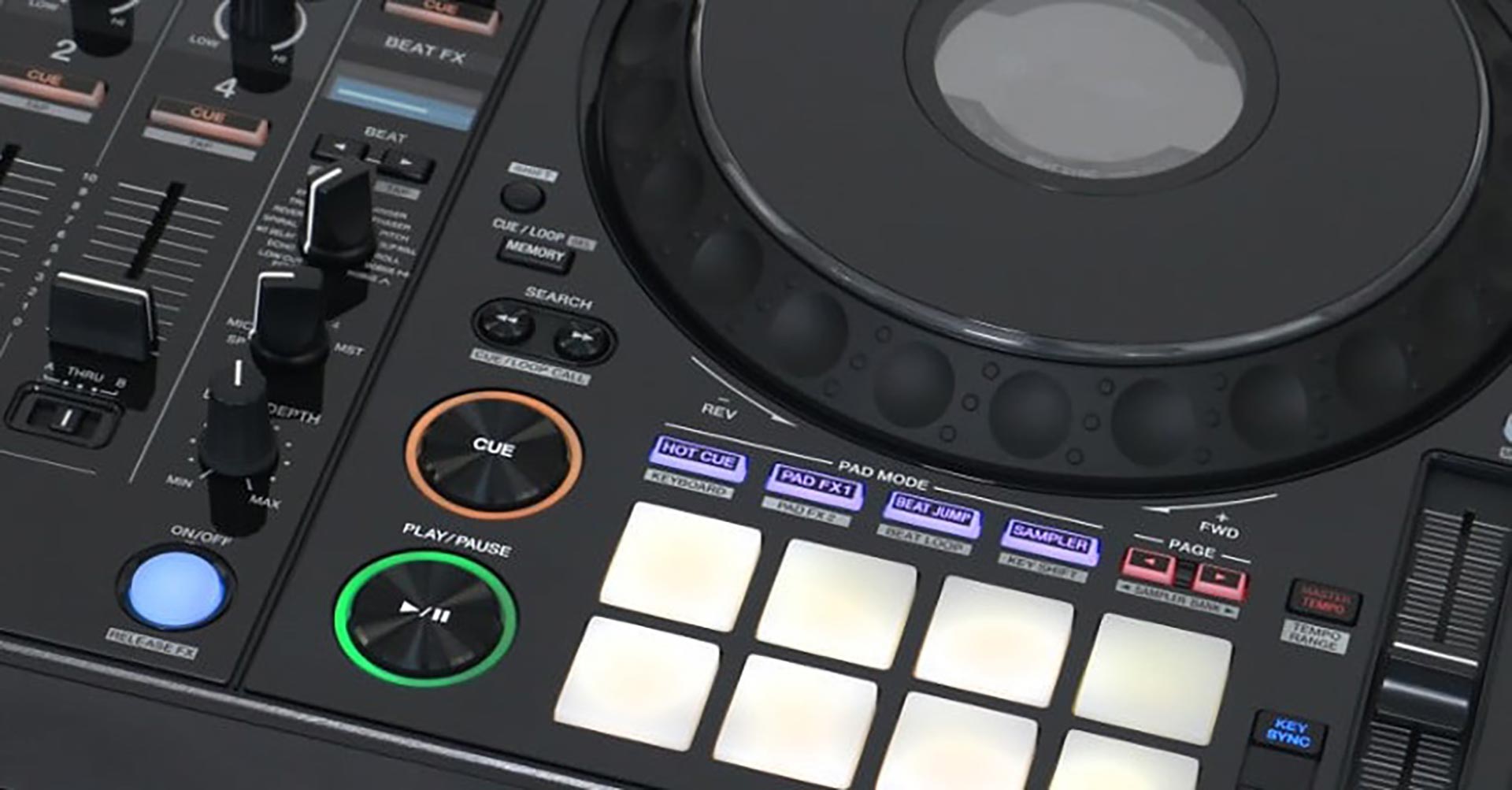
- Memory cues are set within the DJ software and allow you to map out your songs to play the exact parts that you want to mix. When clicking on the memory cue you set, it will take you straight to that part of the song and does not play it automatically (press play when you're ready to transition songs). Memory cues can be known as a helpful tool to guide the songs in your playlist and play the best parts.
Exercise for intro and outro mixing with memory cues:
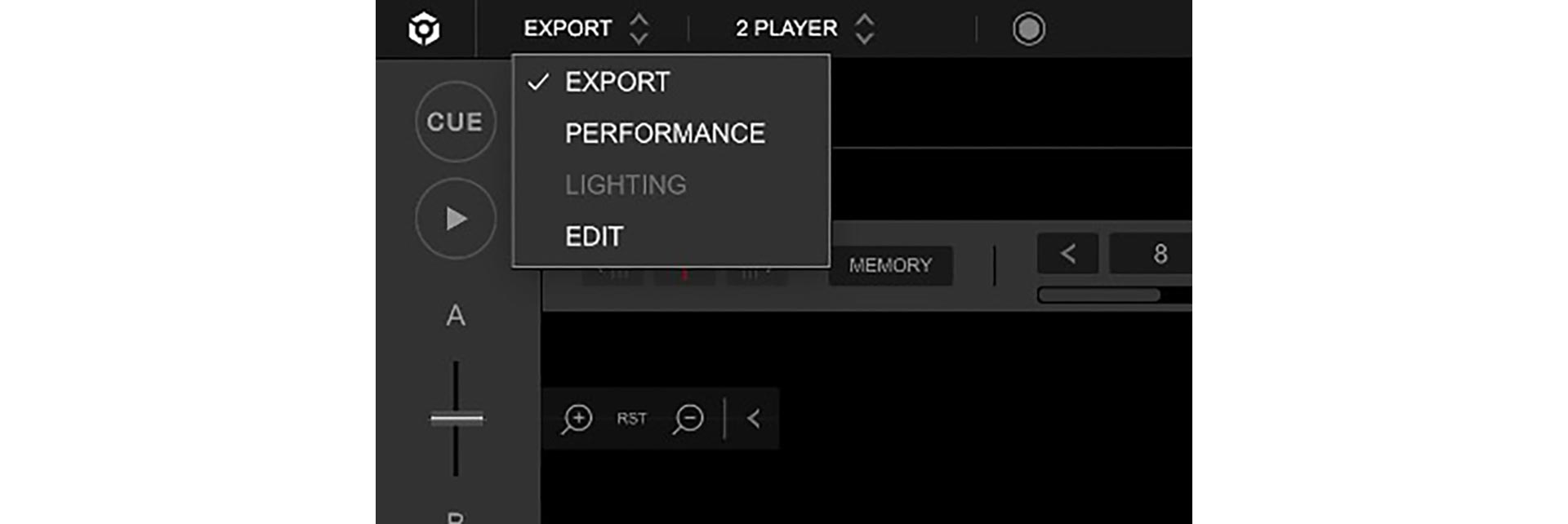
- Switch from Performance mode to Export mode in your DJ software
a. Side note: Export mode only works with MP3 files. If you are using streamed music, you have to set the memory cues in Performance mode. - Choose the track you would like to prepare
- Find the beginning of the track
- Press the cue button (or "C" on your keyboard) then press the memory button (or "M" on your keyboard)
a. If the first 8 bars of the song do not have much going on, you can set the memory cue 8 or 16 bars into the track depending on the genre of music. - Now find the outro of the track by setting a memory cue 8 or 16 bars before the song ends by repeating step 4
- Repeat these steps for the rest of your tracks on your playlist
- Hit the decks, practice beatmatching, and don't be afraid to make mistakes. It's all a part of the learning process. 😊
IX) Record or Film DJ Sets
This is a fantastic confidence booster! You can listen back on your transitions to see where you did well and where you can improve. It is easier to hear it played back to you. You may find yourself wanting to dance to your mix!
Post, post, post! If you feel good about a video, share it! (Be mindful of copyrighted material).
X) Set the Stage and Have Fun!
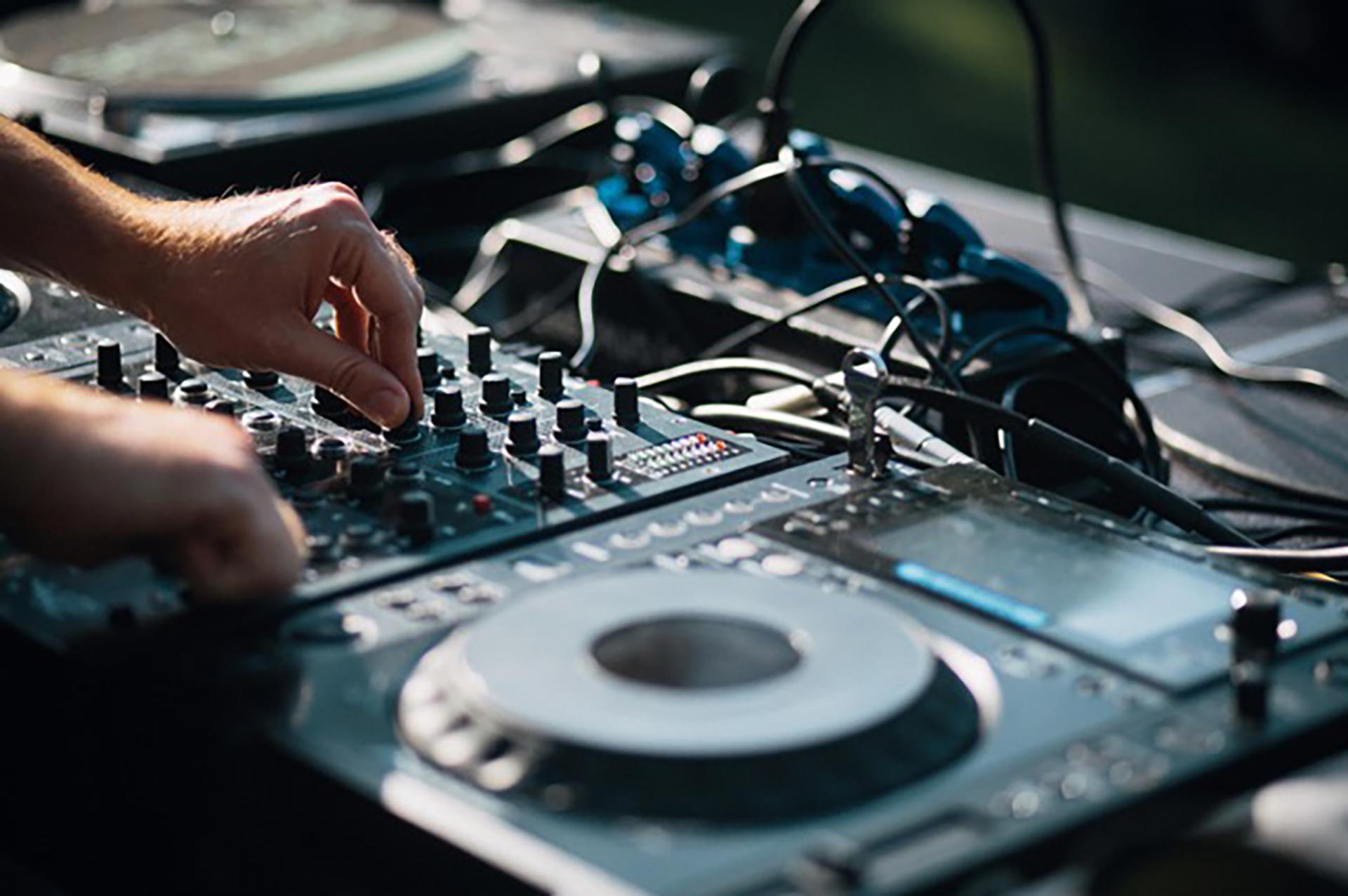
Find an area where you can set up your equipment to play. Set the stage as if you were at a club or bar. Get creative!
I love my galaxy light projector with lower lighting, and having my goofy glasses nearby to add some fun! 😎
Be patient with yourself and allow room for errors. Trust the process and go with the flow.
We'd love to hear from you! Let us know of any questions you have or topics you would like to see in our articles.
Want a more organized approach to learning how to DJ? Check out the Club DJ Ready Courses! In just a week, you can transform the way you DJ. You will also have opportunities to join the Club Ready Tribe and play on our Club Ready Radio, Club Ready Live Streams, and Club Ready Events.

Related Posts
If you're just getting started with DJing and running into problems on the decks - whether it's messy transitions, clashing vocals, or energy dips on the dance floor - chances are...
It's that time of year when everyone's doing sales and I just thought I'd do an article answering any questions you may have about the course and discuss wether you think it's a good fit for you.
So many people when they first learn to DJ make it unnecessarily hard for themselves and as a result they get frustrated, lose interest or simply give up.
n the exciting world of electronic music, being a skilled DJ is one aspect of this industry, and it only scratches the surface of just how far you can take this as a career.